Subject: Aisha, fresh kaya at Kopi & Kaya
Version 1.4Email All Your WooCommerce Customers, Easily.
I run a WooCommerce store, and all I wanted was to email my customers easily: every one of them, quickly, without the tool falling over halfway through. Nothing I tried did that well, so I built this. It sends from your own WordPress, through the mail setup your store already uses, and it never charges you by the contact.
The free edition needs no account. Pro adds automatic emails, series, back-in-stock alerts and subject tests, from US$49 a year.
The Whole Idea
Pick. Write. Send.
That's all it should take to email your customers. They're already in WooCommerce, so that's where it starts. The rest of this page is about doing those three things well.
Pick Who Gets It
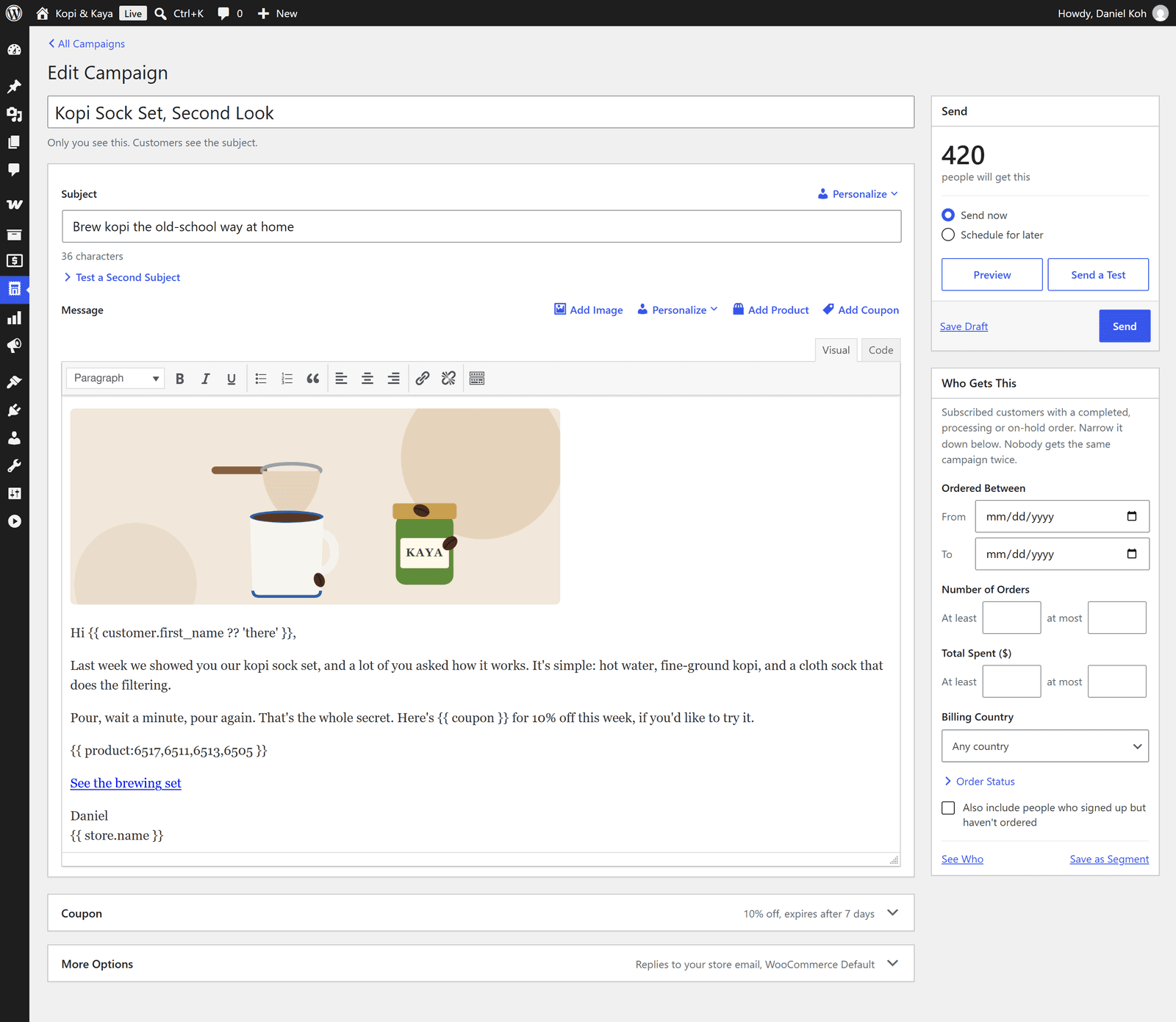
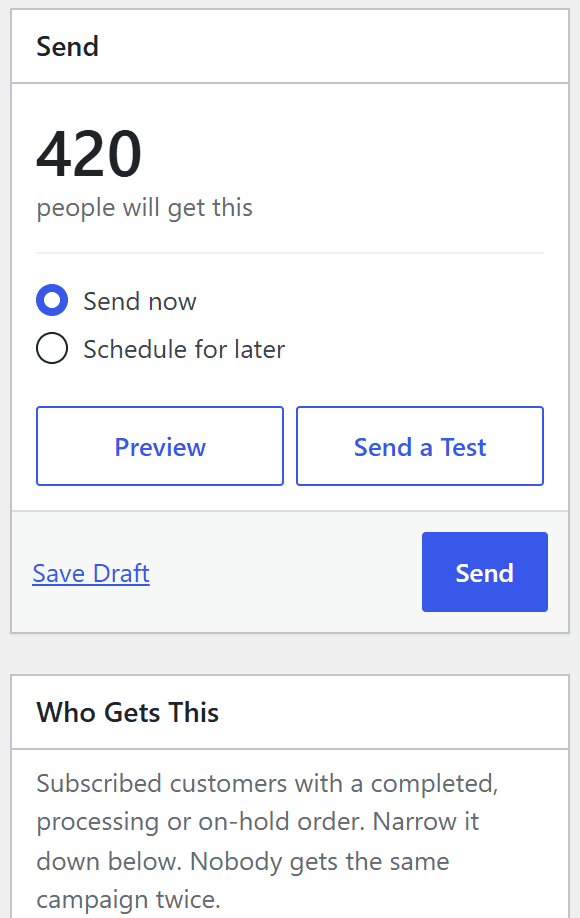
It starts with your subscribed customers who have a completed, processing or on-hold order, so emailing all of them takes no setup. To narrow it down, choose order dates, number of orders, spend, the products and categories they bought or their country, or add sign-ups who haven't ordered yet. The count updates as you go, and nobody gets the same campaign twice.


Write It
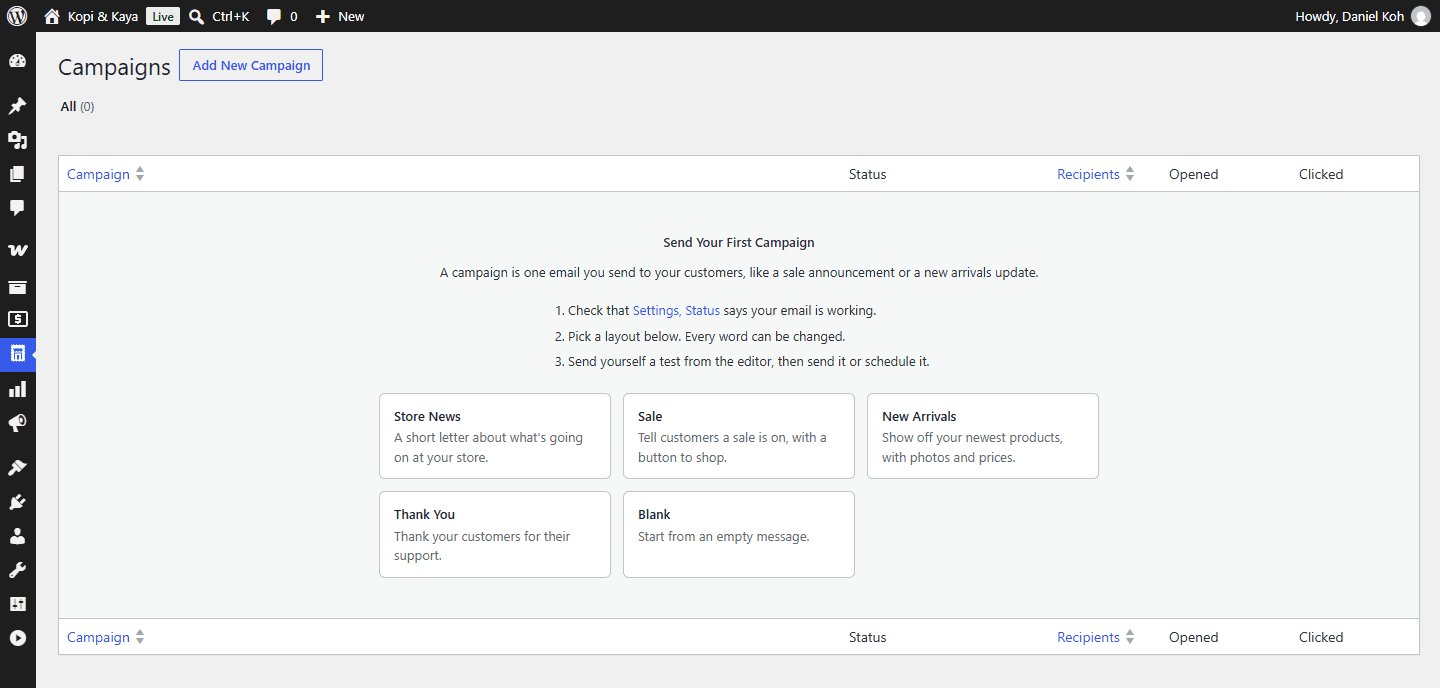
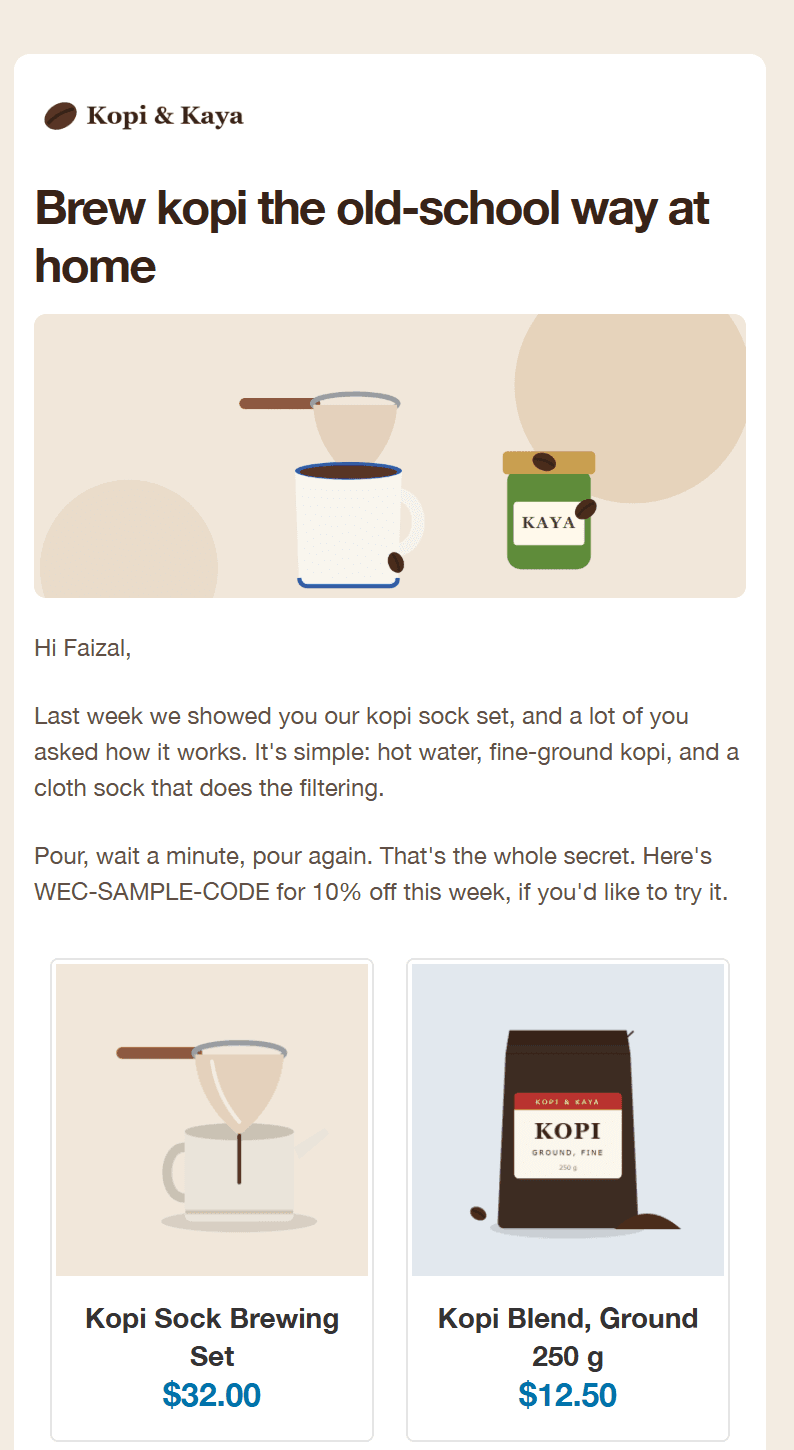
Your first campaign starts from a layout (store news, a sale, new arrivals with your newest products, a thank-you) or a blank page, and every word can be changed. Write in the WordPress editor with product cards and each customer's name, preview it on desktop and phone, and send yourself a test.


Send It
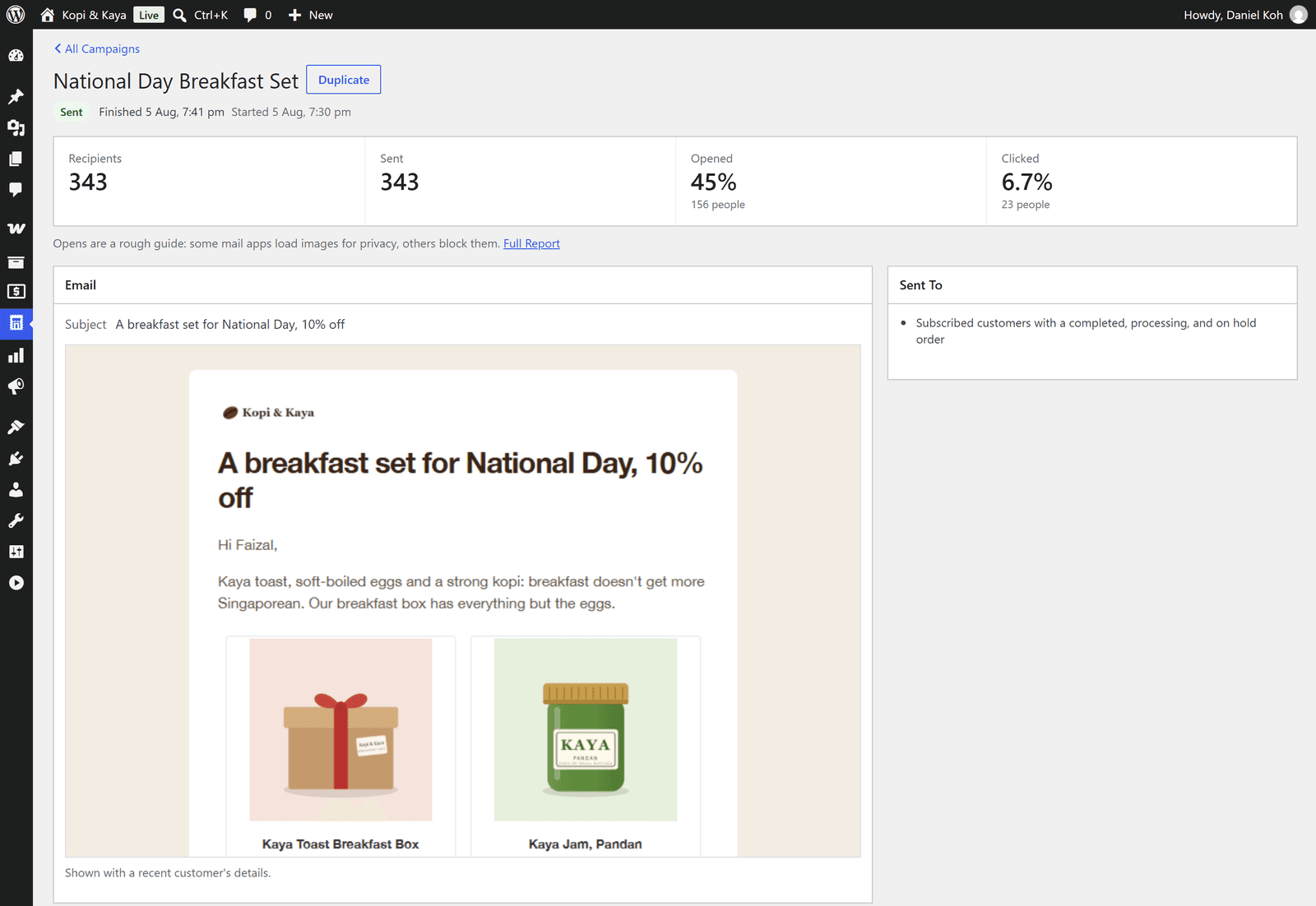
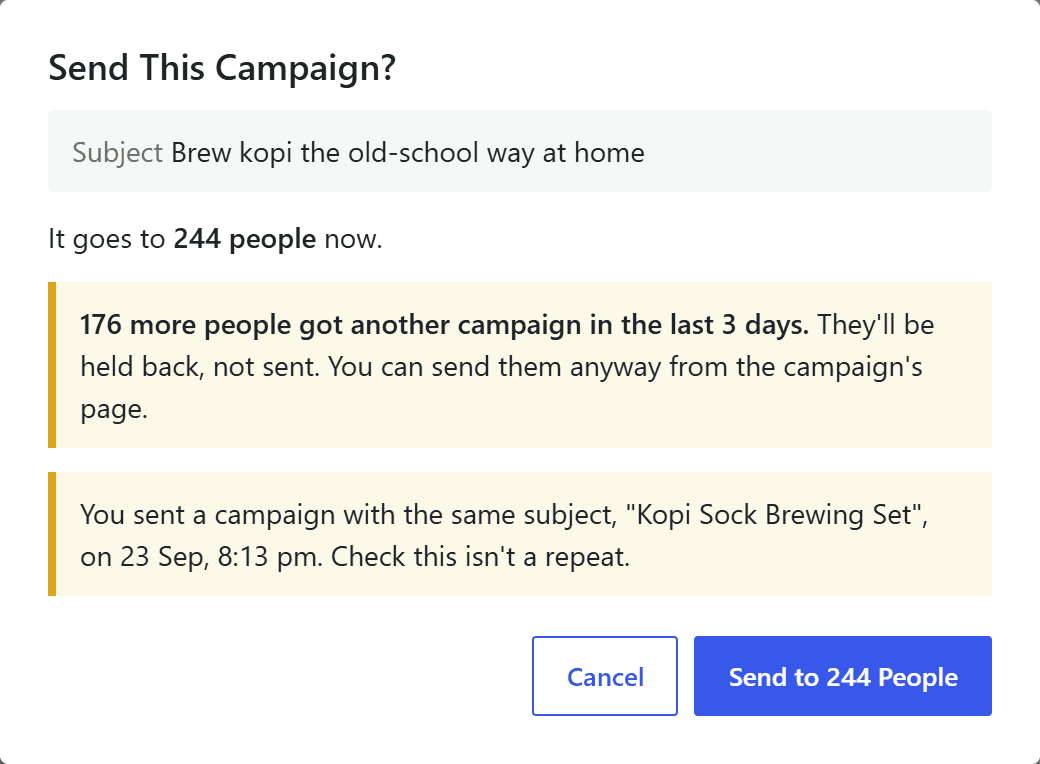
Press Send and it tells you how many people it reaches, and holds back anyone who had a campaign in the last few days. It goes out in the background at a pace your mail provider is happy with, so you can close the tab, and addresses that bounce come off the list. Afterwards you see who opened, who clicked and who ordered.


Screens from Pro, apart from the first-campaign guide, which is the free edition's. The free edition has the same three steps. Kopi & Kaya is made up, like its customers and its shop cat.
What It Does
Everything below runs inside your WordPress dashboard. The items marked Pro need a license.
- 01
Campaigns
Start from a layout or a blank page, write in the WordPress editor with product cards and personal details (first name and more), preview on desktop and phone, and send yourself a test. Send it now or schedule it.
- 02
Who Gets It
Order dates, number of orders, spend, products and categories bought, and country, plus sign-ups who haven't ordered. The count updates as you choose.
- 03
Automatic EmailsPro
Abandoned carts (with saved guest carts), unpaid orders, a thank-you or review request after an order, product suggestions, welcome and win-back, each sent when something happens in the store.
- 04
SeriesPro
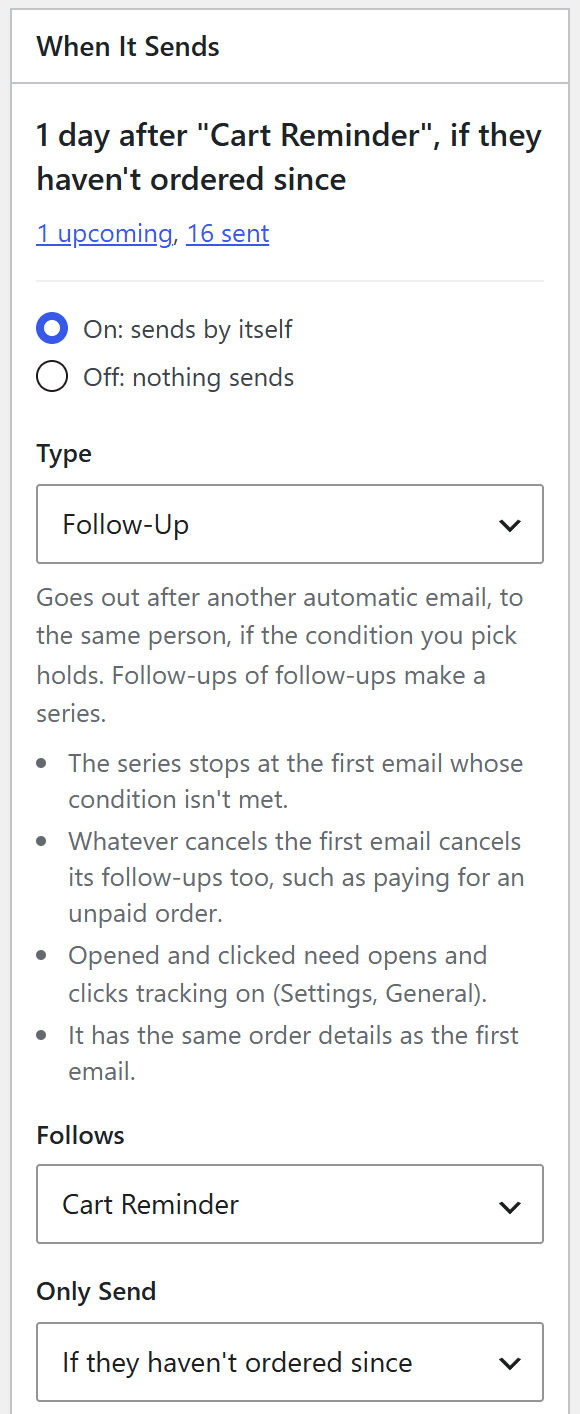
Follow-ups after any automatic email, sent only if they haven't ordered, didn't open or didn't click the last one.
- 05
Back in Stock and New ArrivalsPro
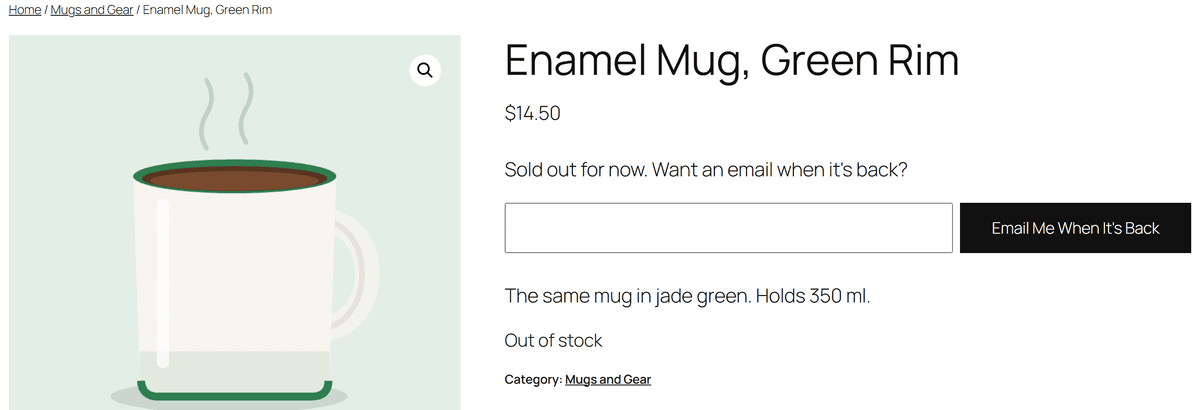
Customers ask on a sold-out product's page and get an email when it's back. New products go to customers who bought from that category.
- 06
Subject TestsPro
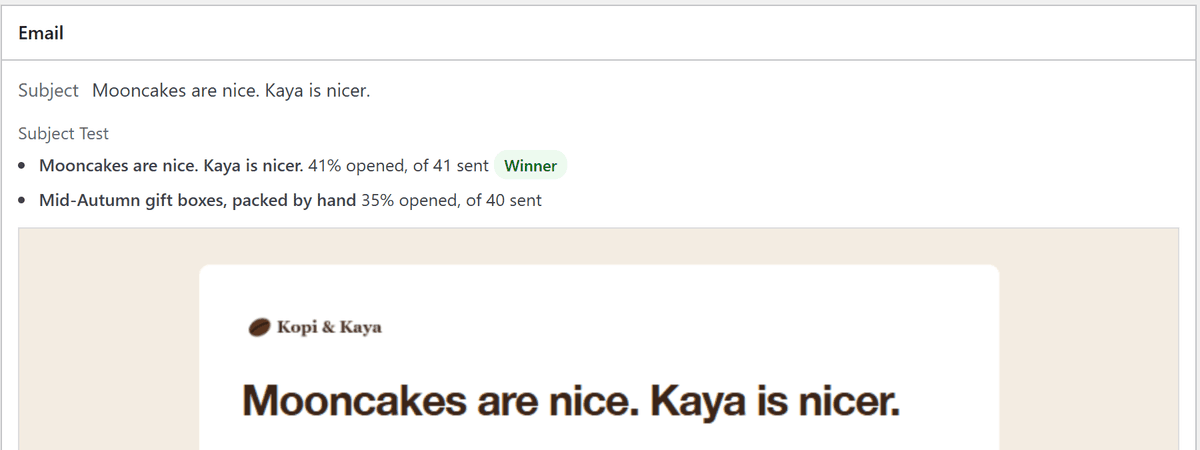
Two subjects go to part of your list, and the one more people open goes to everyone else.
- 07
CouponsPro
A unique WooCommerce coupon for each person, locked to their email address, in campaigns and automatic emails.
- 08
Reports
Progress, pause and stop while it sends, then what happened to each person, and opens, clicks, orders and revenue for every campaign and automatic email. Opens are a rough guide: some mail apps load images for privacy, others block them.
- 09
Sending Safely
An over-mailing guard (by default nobody gets more than one campaign every 3 days or 3 marketing emails a day), automatic slow-downs when your mail provider asks, speed limits per minute, hour and day, and bounced addresses taken off the list.
- 10
Status
Is email working? It checks background sending, pauses and your mail setup, and your sender domain's SPF, DKIM and DMARC records, and says what to fix.
- 11
Consent
A checkout checkbox or automatic opt-in, a sign-up form with confirmation by email and bot protection, Email Preferences in My Account, one-click unsubscribe, and GDPR export and erasure.
Try It Here
One Email, Everyone's Name in It
These are the plugin's real merge tags, fallbacks included. Edit the subject or the email, then switch customers and watch it change. The one with no name on file gets a "there" instead of an awkward gap, and the one who typed a tag as their name gets it back as plain text, not a coupon.
The Email, With Tags
Personalize · the message
Send To
Made-Up Store, Customers and Orders · Nothing Is Sent
Free vs Pro
What Pro Adds
- Automatic emails: abandoned carts (with saved guest carts), unpaid orders, thank-yous, review requests, product suggestions, welcome, win-back
- Series: follow-ups only if they haven't ordered, opened or clicked
- Back-in-stock emails, asked for on the product's page
- New-arrival emails for customers who bought from that category
- Subject tests: the subject more people open goes to everyone else
- A unique coupon for each person
- Updates delivered in WordPress
- Priority support
The free edition is everything else on this page, which covers the main job: emailing all your customers. It's a free download, and you don't need an account.
Download Free


Priced by the Site.
Pro is a yearly price for each site, with no per-email fees and no cap on list size. The license brings updates and support, and if it lapses, nothing switches off.
Single Site
$49USD a year
1 site
- All Pro features
- A year of updates
- Email support
Three Sites
$99USD a year
3 sites
- All Pro features
- A year of updates
- Priority email support
You buy through your BackHAUS account, which is also where your license key and downloads live. Only need to email your customers? The free edition does that.
Requirements
- WordPress 6.0+
- WooCommerce 7.0+
- PHP 7.4+
- HPOS Compatible
- Any wp_mail SMTP Plugin
Questions
How do I email all my WooCommerce customers at once?
Install BackHAUS Email Campaigns (the free edition does this) and go to Email Campaigns, then Campaigns. Your first campaign starts from a layout or a blank page. Who Gets This already covers all your subscribed customers with a completed, processing or on-hold order, so write your email, send yourself a test and press Send.
Is there a free version?
Yes, and it does the main job: campaigns to all your customers with starter layouts and product cards, reports, sending paced to your mail provider, the over-mailing guard and a Status check of your sender domain. Download it from this page; you don't need an account. Pro adds automatic emails and series, back-in-stock and new-arrival emails, subject tests and unique coupons. To update the free edition, download it again and upload it from the Plugins screen (Add New, then Upload Plugin), and WordPress offers to replace the copy you have.
Can I move from Free to Pro later?
Yes. Install Pro and activate it, and it switches the free copy off. Both use the same data, so your campaigns, subscribers and reports carry on in Pro, and once Pro is installed you can delete the free copy without losing any of it.
Will my emails reach the inbox?
That depends on your store's mail setup, so no plugin can promise it. Status checks that email is working and that your sender domain has SPF, DKIM and DMARC records, and tells you what to fix. Addresses the mail service turns away while sending come off the list; bounces that come back later by email aren't read.
What happens if my Pro license lapses?
Nothing switches off. The license covers updates and support, so Pro keeps working as it is; you just stop getting new versions until you renew.
Does it replace a hosted email platform?
For a lot of stores, yes. If what you need is marketing email to your own WooCommerce customers, this does it without a monthly bill and without handing your customer list to anyone else. If you need SMS, marketing across several channels or a drag-and-drop builder, a dedicated platform still makes sense.
What does it send with?
WordPress's own wp_mail(). I recommend pairing it with an SMTP plugin and a transactional provider such as Mailgun, SendGrid, Amazon SES or Postmark.
Will it slow my site down?
No. Sending happens in the background through WP-Cron, in batches you control. Send Faster only runs while you keep a campaign's page open.
Can it handle a big list?
Yes. A bigger list just takes longer: it goes out in the background in small runs, at whatever pace your mail provider allows, and Send Faster on the campaign's page speeds it up while you watch.